
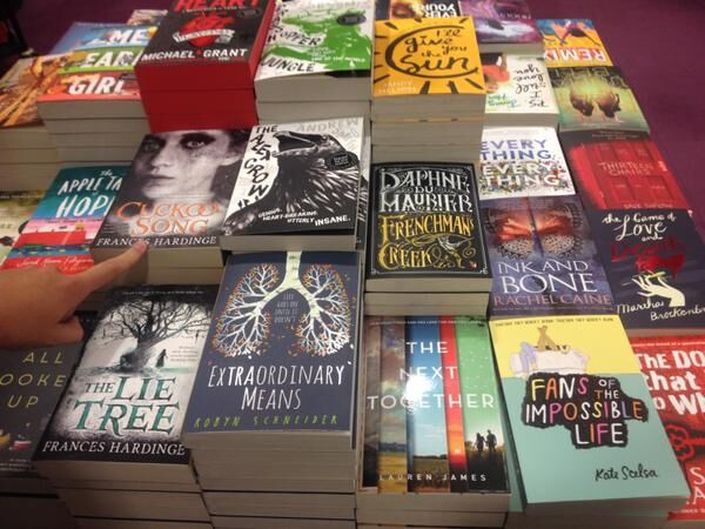
Book cover design for indie authors
Your book is getting rejected by people who haven't even read it yet.
That's a packaging problem, and you can fix it. This course shows you what makes a cover work for your genre, then hands you templates to start from, in Microsoft Word or Photoshop.
- Cover design basics, the common myths, and a crash course in how a cover works
- 3 strategies for fiction covers that work for any genre
- How to design a cover in MS Word, if you don't have Photoshop
- DIY templates, Photoshop templates and full print cover templates

What authors and publishing people say about my cover templates and tutorials
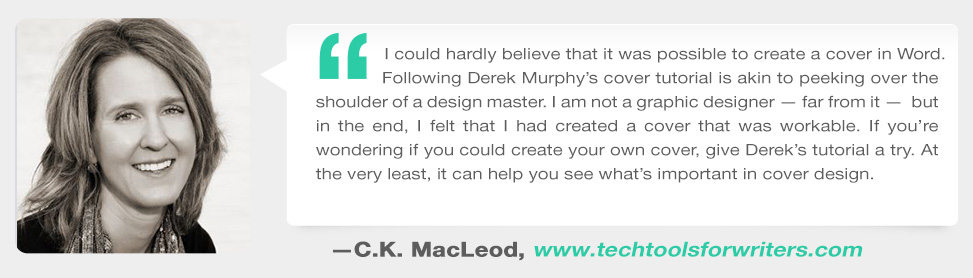
Following Derek Murphy's cover tutorial is akin to peeking over the shoulder of a design master. I could hardly believe that it was possible to create a cover myself. I am not a graphic designer - far from it - but in the end, I felt that I had created a cover that was workable. Give Derek's tutorial a try. At the very least, it can help you see what's important in cover design.
Many great, self-published books languish in obscurity simply because of poor packaging. The savvy author understands the necessity of a stellar cover, but often lacks the skills or the funds to create it. Derek offers an excellent opportunity for authors to design a cover at a DIY price, but with professional design results.

Derek really is the go-to guy on book cover designs. I was extremely excited when I heard he had made his own system and after checking it out, he didn't disappoint. This is clearly the best complete package on book designs I have ever come across.

The truth about book cover design
A cover can look good to you and still not sell the book.
You try to get reviews, but your emails go unanswered. You advertise and promote, but nobody is buying. If that sounds familiar, I'd look at the cover first.
Indie authors are in the precarious position of being in control of their own covers. Even if you hire a designer, unless you know what you're doing, you can end up with something that looks good to you but won't actually sell the book.
I learned that the hard way. I made my own cover for my first self-published book. I spent months on it, obsessed over every detail and kept asking friends and family to tell me it was great. It was busy and hideous. When it didn't sell, I realized the cover needed to be better, so I became a Photoshop expert and started studying what kind of covers sell books.
After designing almost a thousand book covers, I'm beginning to think I know what I'm doing. This course is what I'd tell you if you were about to make your own.
Try this on your cover today
The thumbnail test
Open the bestseller list for your genre on Amazon and look at the top covers at thumbnail size. Then picture yours in that row.
Ask yourself
Can you read the title at that size? Would someone who loves those books guess, at a glance, that yours is the same kind of book?
If the answer is no
Often the fix isn't a prettier picture. It's the fonts, the image or the layout sending the wrong signal, and those are things you can change.
That's what the lessons are about: picking fonts for your genre, finding the right image and putting them together.
What you get
The lessons, plus templates to practice on
Lessons on what makes a cover work, a Photoshop section and a Microsoft Word section, and cover templates you can open and change. Here are a few of the template designs.
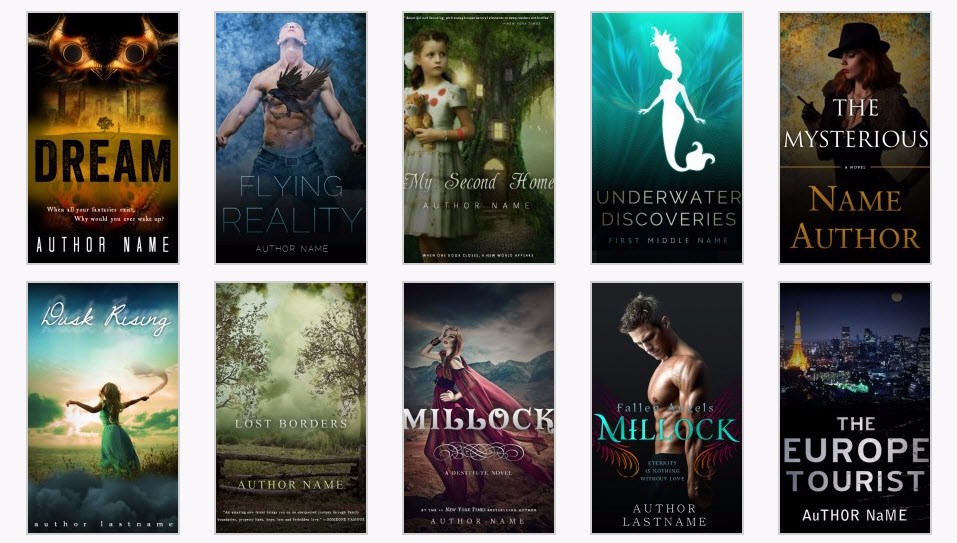

A few of the fiction and nonfiction template designs.
Cover design basics
A reality check on making your own cover, the common myths debunked, and a crash course in cover design, before you touch a template.
Lessons: Start Here · Cover Design Basics · Just because you can make your own cover... · Common myths debunked · A crash course in cover design
3 foolproof strategies for fiction covers
In the Photoshop section: three ways to design a fiction cover that work for any genre, plus a lesson on Halloween horror covers.
Lessons: 3 Foolproof strategies for designing fiction book covers that work for any genre · Halloween horror covers
Designing a cover in MS Word
Word has features that make designing easy, if you know what you're doing. This is the route if Word is what you have.
Lesson: Designing a book cover in MS Word
DIY and Photoshop templates
Start from a layout instead of a blank page. Swap in your own image and title, then adjust the fonts until it looks like your book.
Lessons: DIY Templates · Photoshop Templates
Full print cover templates
For the paperback, you need more than the front cover readers see online. These templates are for the full print cover.
Lesson: Full Print Cover Templates
Fonts, images and small text
How to choose the best fonts for your genre, where to find good stock images, how to blend images with layers, the right sizes and dimensions, and using small text to make the cover look more professional.
See the full lesson list below
Get Cover Design SecretsLessons and templates · 30-day money-back guarantee
How it works
Learn the basics, then make a template yours
- Start with the basics.Start Here takes under three minutes. Then go through the basics and the crash course, so you know what you're changing on a template and why.
- Pick your tool.Use the Word lesson if Word is what you have, or the Photoshop section if you already use it. You'll need the software itself; the course doesn't include a license.
- Make it your book.Open a template close to your genre, put in your own image and title, and adjust the fonts. Then run the thumbnail test against the bestsellers in your genre.
One warning. These templates are not premade covers. They're training wheels to get you started, and they shouldn't be used as-is. You'll still need to find your own art or photographs, and make sure you have the rights to every image and font you publish.
More from people who know covers
What they say about my covers, templates and tutorials
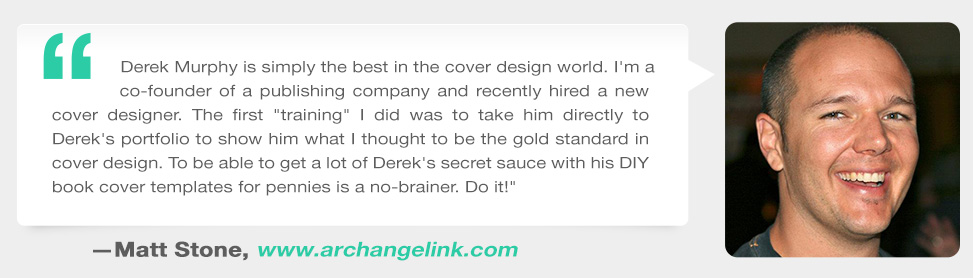
Derek Murphy is simply the best in the cover design world. I'm a co-founder of a publishing company and recently hired a new cover designer. The first "training" I did was to take him directly to Derek's portfolio to show him what I thought to be the gold standard of cover design. To be able to get a lot of Derek's secret sauce with his DIY book cover templates is a no-brainer. Do it!
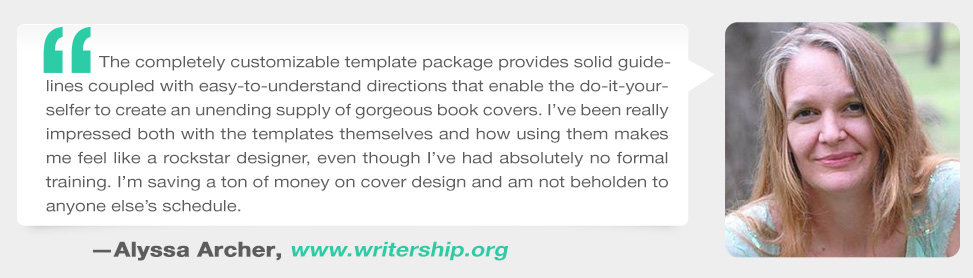
The customizable templates and clear instructions enable DIY authors to create an unending supply of gorgeous book covers. I'm really impressed both with the templates themselves, and how using them makes me feel like a rockstar designer, even though I've had absolutely no formal training. I'm saving a ton of money on cover design and am not beholden to anyone else's schedule.

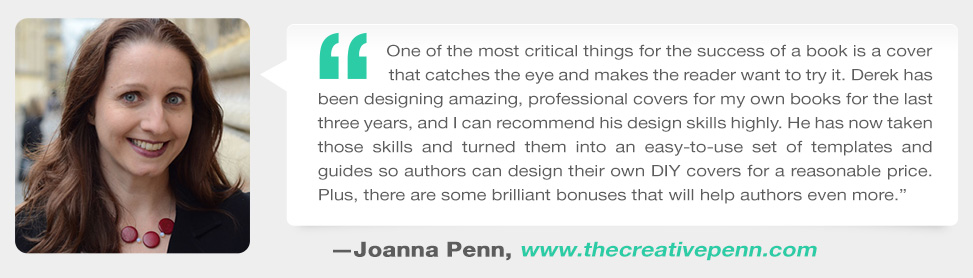
One of the most critical things for the success of a book is a cover design that catches the eye and makes the reader want to try it. Derek designed several professional covers for my own books and I can recommend his design skills highly.

Is this for you?
It's a good fit if
- You're making your own cover, or fixing one that isn't selling, and you want to know what to change and why.
- You have Microsoft Word or Photoshop, and you're happy to play with fonts and images.
- You're hiring a designer and want to be able to judge the cover they send you.
Skip it if
- You want a finished cover with no work. The templates are training wheels, not premade covers.
- You'd rather hand it to a professional. I'm not at all saying cover designers aren't worth it. In many cases a good one is a good use of money, because your cover is the most important thing.

Hi, I'm Derek Murphy.
I have a PhD in Literature, and I put myself through grad school as an editor and then a book cover designer. A few of the covers I've designed have hit the USA Today and Wall Street Journal bestseller lists.
Since I rarely take on new clients, I started teaching others. I made my cover templates in Microsoft Word on purpose, because it's a program most authors already have.
The offer
Fix the cover before you pay to promote it.
Every ad, promo and review request you send points readers at the same cover. If it sends the wrong signal, you're paying to show people a book they'll scroll past.
30-day money-back guarantee
Go through the lessons and try a template on your own book. If the course isn't what you needed, email support within 30 days of your purchase and you'll get a full refund.
Cover Design Secrets that Sell
- Cover design basics, myths and a crash course
- 3 strategies for fiction covers in any genre
- Designing a cover in MS Word, plus a Photoshop section
- DIY, Photoshop and full print cover templates
- Self-paced, with lifetime access
- 30-day money-back guarantee
List price
$87
Enroll in Cover Design SecretsFollowed a link with a discount code? Your price shows in the enrollment box below.
Already own the DIY Book Design & Formatting Bundle or Guerrilla Publishing? Both include this course, so log in and check your courses before you buy it again.
Questions
When does the course start and finish?
It's self-paced. You get access as soon as you enroll, and you can go through the lessons in whatever order suits your cover.
How long do I have access?
Lifetime access. After you enroll, you can use the lessons and templates on any device you own, and come back to them for your next book.
What software do I need?
Microsoft Word or Adobe Photoshop, depending on which lessons and templates you use. The course doesn't include a software license.
Can I publish a template as it is?
No. The templates are starting points. Put in your own image and title, and make sure you have the rights to every image and font you publish.
Is any of this free on DIYBookCovers.com?
Some of it, yes. This course contains a lot of the material that's available on DIYBookCovers.com. I put it here because it's more organized and easier to process, and the templates are here too.
I already have the DIY Book Design & Formatting Bundle or Guerrilla Publishing. Do I need this?
No. This course is included in both. Check your courses before buying it again.
What if I'm unhappy with the course?
You're covered by a 30-day money-back guarantee. If the course isn't what you needed, email support within 30 days of your purchase and you'll get a full refund.
Don't trust your instincts. Learn how to make covers that sell.
Readers judge the cover before they read a word. Start with the basics, then try a template on your own book.
Get Cover Design SecretsSelf-paced · lifetime access · 30-day money-back guarantee Your price, including any discount code you arrived with, shows in the enrollment box below.
You try to get reviews but your emails go unanswered. You advertise and promote but nobody is buying.
Your book is getting rejected by people who haven't even read it yet. That means you have a packaging problem.
The Truth About Book Cover Design
Indie authors are in the precarious position of being in control of their own covers. Even if you hire a designer, unless you know what you're doing, you're going to end up with something that might look good to you but won't actually sell the book. Don't trust your instincts. Learn how to make covers that SELL.
I know how frustrating it can be to get a great book cover design. I made my own cover for my first book over 10 years ago, and I spent months making it perfect – or so I thought. When it didn't sell, I realized the cover needed to be better, so I became a Photoshop expert and began studying what kind of covers sell books. Now I have my own book cover design business, and I get so much demand I have to keep my prices high.
But I wanted to find a way to help indie authors get quality book design at a bargain price. None of the online tools available could make the type of powerful covers I'm known for. Premade templates often looking amateurish, and most of them are made in Photoshop so even if you buy them, you can't make even simple changes yourself.
I had a breakthrough when I discovered Microsoft Word has features that make designing easy - if you know what you're doing. So I made over 150 book cover templates in MS Word, so that authors could use a program they are already familiar with. It's easy to open the templates, switch the images and edit the text, and save the file as a ready-to-use cover.
But I wasn't satisfied, so I invested thousands of dollars making my own online book cover design tool. You can use it on any computer connected to the internet, and it will always be totally free for everyone.
Hundreds of authors have used my design templates and tutorials to make their own book covers, and I've been surprised by the quality of what they've been able to produce.
This course contains a lot of the material that's available on DIYBookCovers.com; I put it here because it's more organized and easier to process.
You'll learn:
- foolproof design strategies that work for any genre
- how to choose the best fonts per genre
- where to find the best stock images
- how to blend images together with layers
- optimal sizes and dimensions for book covers
- using small text to make your book more professional
- and much more...
There are also individual sections for making covers in Photoshop, MS Word and with my online cover design tool.
But the real value is in the templates
I like to give away information for free, so indie authors can get started. But if you sign up you'll also get a bunch of additional book cover templates and resources that will save time and shorten your learning curve.


There are lots of templates for designing in MS Word, and I still plan to perfect my online cover design tool, which is as powerful as Photoshop but online, and I'll be adding more Photoshop templates and marketing materials as well (eventually, though it's one of many ambitious plans). Don't worry, you'll get lifetime access to everything I add in the future.

STOP MAKING ROOKIE DESIGN MISTAKES AND LEARN HOW TO LOOK, AND SELL, LIKE A BEST-SELLING AUTHOR
Get Started Now
Got Questions?
Your Instructor

Derek Murphy has a PhD in Literature and has been featured in CNN for hosting writing retreats in medieval castles. After working with thousands of authors as a writing coach and developmental author, he began developing plotting cheatsheets and advanced writing tips for authors that now have nearly 3 million views on YouTube.